
Prerequisites
- A user with permission to access the marketing area of your Microsoft Dynamics CRM.
Steps
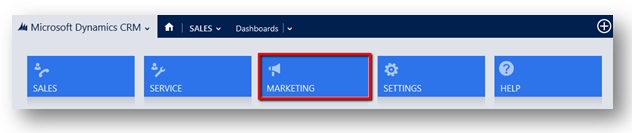
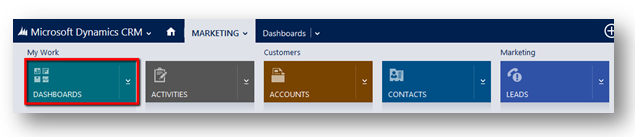
1. In your Microsoft Dynamics CRM, open the main menu and click on the Marketing button. The page will reload and the blue navigation bar will be updated with the Marketing section name. Click on Marketing and a new menu will open. Then click on the Dashboards button.
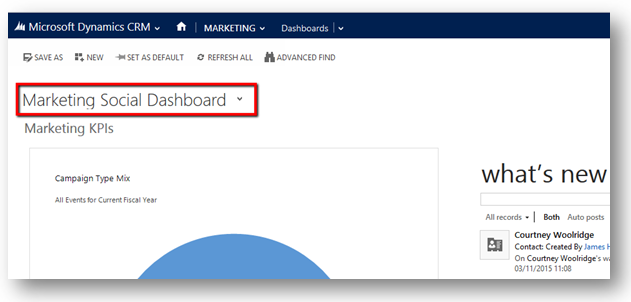
2. The page will reload and on the top left hand side there will be a drop down menu. Click on it.
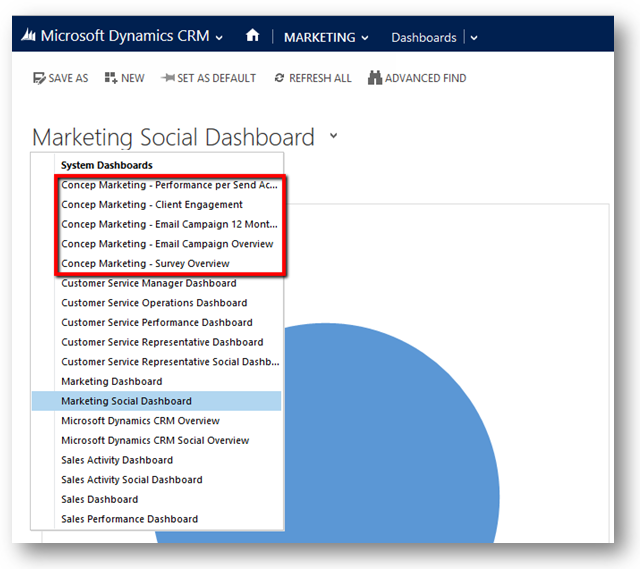
3. Once you’ve clicked the Dashboard menu will open with all your Microsoft Dynamics dashboards. Search for Concep Marketing dashboards to find all Concep Send dashboards.
Important
- The name of the dashboards can be changed by your system administrator and might not have the same name as described above.
- Concep’s dashboards are populated with data from your Microsoft Dynamics CRM. If some of the dashboards don’t contain data it is very likely to be due lack of data in your CRM.
Comments
0 comments
Article is closed for comments.