
First, log into the relevant Send user and locate the specific survey in the Surveys tab (not Reports)
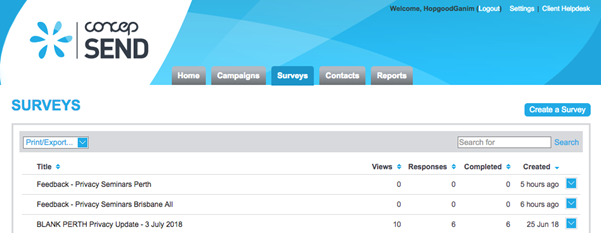
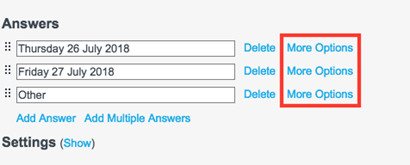
Open the Survey and find the affected Multiple Choice question(s) and click on it to edit. Scroll to the Answers section and click ‘More Options’ next to any of the answers.
In the ID column you should see ‘undefined’ instead of the number value
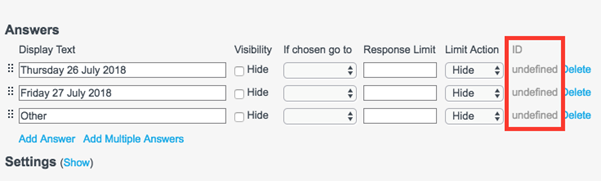
If you notice the undefined ID issue when working on a Survey, do not save it but instead create a new survey. If the problem persists, please contact our support team who will help you and work with you to collect more information.
Comments
0 comments
Please sign in to leave a comment.