
Note: - You will need an Admin account to be able to delete Survey Templates.
If you have created multiple Survey Templates that you no longer need, our step by step guide below will show how these can be deleted.
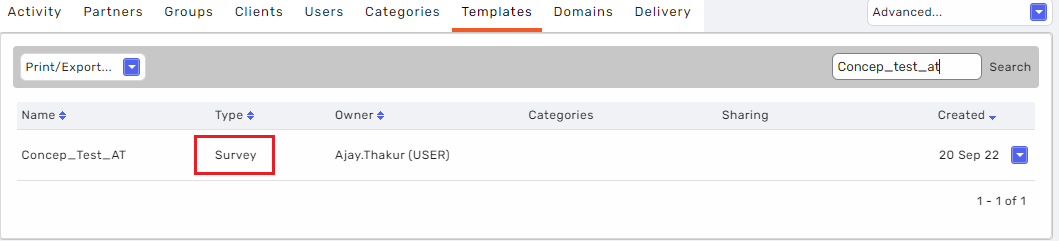
There are three type of Templates "Survey", "Email" and "Tblock". The Survey Template type as the name suggests can be used to to create new Surveys of a particular design whereas "Email" and "Tblock" types are used to create Campaigns. It is vital to make sure you check the type of the Template you delete before actioning as once you delete a Template, this can not be undone.
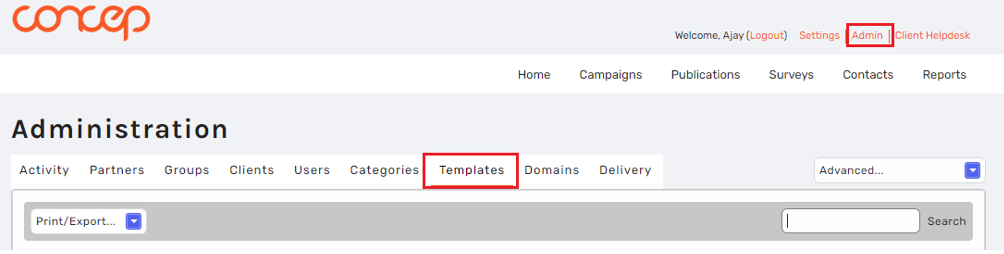
Firstly, you need to login to an account with admin access and click on the “Admin” tab at the right-hand side of the page and then click on the “Templates” section.
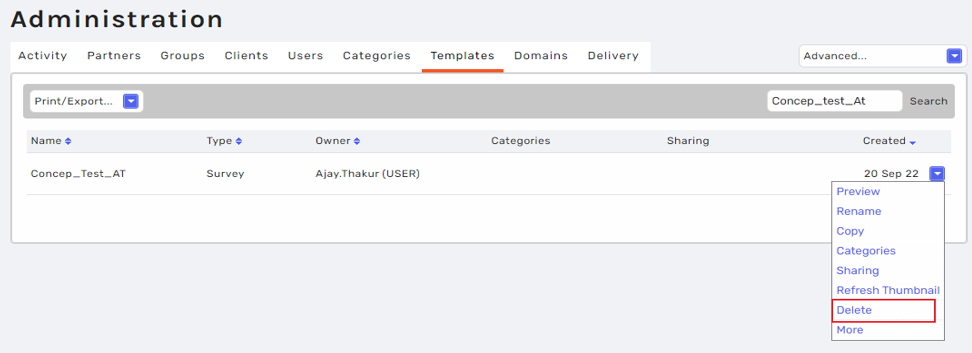
Once you are in the Templates section, search the name of the Survey Template that you wish to delete and then click on the blue drop-down arrow of the Template and click delete.
Once the Survey Template is deleted, you will no longer be able to use it for creating new Surveys and it will be removed from your Survey Template options. If you have shared the Template to other accounts, then it will also be removed from their Survey Template options.
Should you run into any issues deleting your Survey Templates or have any questions on the topic, please feel free to reach out to our Support Team.
Comments
0 comments
Please sign in to leave a comment.